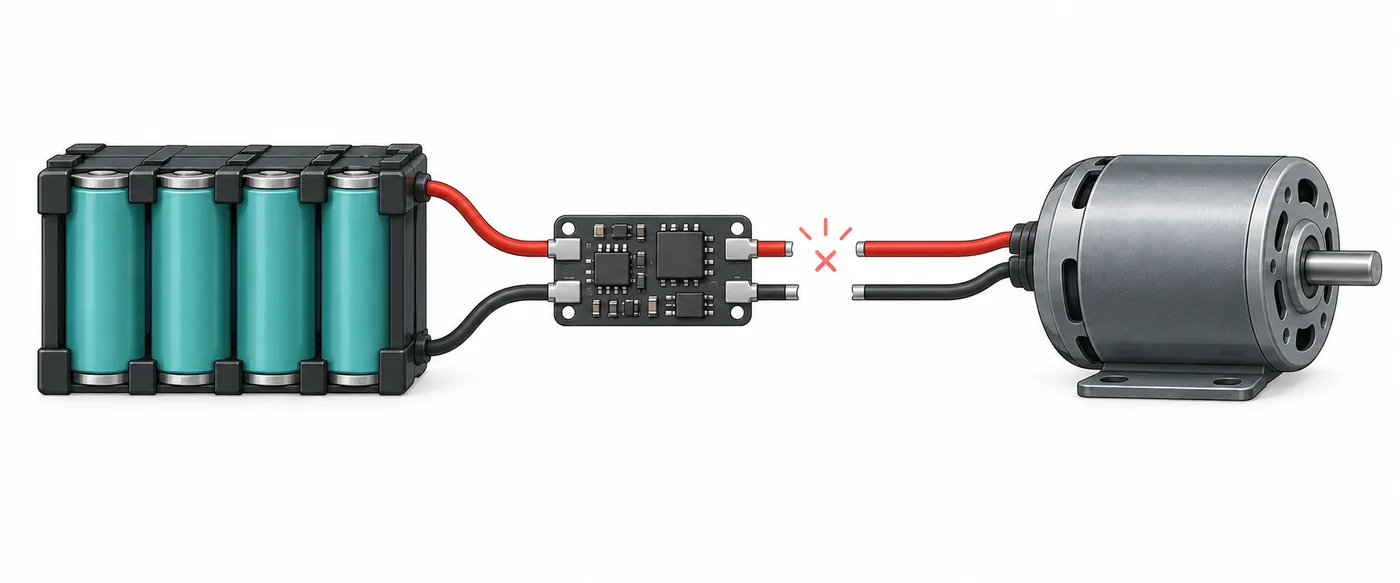
When a BMS keeps shutting off under load
A battery management system can stop charge or discharge when its design's protection rules trigger. Under load, a current surge, low cell voltage, temperature, short-circuit response, or external power-path fault may coincide with lost output. Similar symptoms can have different causes.
A trip is not a diagnosis: the pack may be protecting itself, the load may exceed verified ratings, or a connection or sensor may be abnormal. Thresholds and recovery behavior vary by model; another product's settings are not a safe target.
- Separate a startup-only trip from a shutdown after minutes of steady use.
- Treat a repeated trip as a reason to investigate, not as a prompt to increase a limit.
- Do not infer a failed BMS from output loss alone.
Record the trip pattern before a reset
If a BMS keeps shutting off, write down what was connected and when output stopped. Note whether it followed acceleration, a motor or pump start, a load change, extended use, charging, or hot or cold conditions. Include recent changes to the controller, cable, fuse, connector, firmware, or pack configuration. This timeline can separate a repeatable load event from a recent setup change.
If the pack and area look normal and the maker allows monitoring, save the app screen before clearing anything. Record warning text, charge/discharge state, total voltage, available cell readings, temperatures, current direction, and time. Do not open a sealed pack or probe exposed conductors to collect more data.
- Record startup versus steady-load behavior and how long the system ran.
- Note the charger, controller, motor, fuse, and cable configuration.
- Save warnings and readings before disconnecting or resetting when safe.
- Mark readings as unavailable if the app was disconnected; do not fill gaps by guessing.
Match the shutdown pattern to evidence
If the BMS keeps shutting off, use the pattern to ask a supplier or technician what to check; these possibilities are not a remote diagnosis. Pack voltage can recover after load removal, app data can be stale, and a switch state may not explain the trip.
Compare an observation from the event with the exact product specification. Do not substitute a generic voltage, current, or temperature threshold. If evidence is incomplete, leave the system disconnected and request model-specific guidance.
| Observed pattern | Possible source | Evidence to preserve | Safe next check |
|---|---|---|---|
| Output drops at motor startup or acceleration | A brief surge, controller demand, or a protection limit may be involved | Startup timing, load model, warning text, and recorded current if the BMS provides it | Compare the load and controller requirements with the verified battery and BMS ratings |
| Shutdown appears after steady operation | Heating, a sustained load, voltage sag, or a connection problem may contribute | Elapsed time, case and connector condition, temperature readings, and load state | Stop for unusual heat; have a qualified person inspect the rated external path |
| Only discharge stops while charging remains available | The BMS may control separate charge and discharge paths | Charge/discharge status, topology information, and the exact BMS model | Confirm the pack's documented port design before blaming the charger or controller |
| One cell value moves sharply under load | A weak cell group, sensing issue, or imbalance may need investigation | Cell readings before and during the event, if safely available, and the protection flag | Ask the supplier to compare readings with the cell and pack specifications |
| Trip follows a hot or cold environment | A temperature protection or sensor condition may be active | Ambient conditions, app temperature, and whether charging or discharging was underway | Follow the battery maker's temperature limits; do not warm or cool a damaged pack |
| App disconnects or values freeze at the same time | Bluetooth, power, firmware, or a real battery event may be involved | Whether output stopped independently, last fresh reading, app state, and other indicators | Separate communication loss from power loss; use the approved meter check only if trained |
Read BAT BMS status without changing protection settings
On compatible hardware, a BMS app may show voltage, cell values, current, temperature, and charge/discharge state. Menus vary by firmware and pack. Confirm the app is connected to the correct battery, check that readings are current, and save the screen before tapping a control. App data supports a diagnosis but cannot fully test cells, wiring, or load.
If protection is active, save its exact wording and consult the matching manual. An OFF state does not identify the cause. Do not toggle Charge or Discharge repeatedly to restore output or change settings based on another battery's screenshot.
- Record the exact warning and whether the app data is live.
- Compare repeated readings under similar conditions rather than treating one number as a health score.
- Keep original settings and ask the manufacturer before changing a limit.
- Use the dedicated BAT BMS app guide for connection and screen details.

Check the load and external power path safely
The controller, motor, inverter, charger, fuse, connector, cable, or a short can create a demand or interruption that resembles BMS failure. Compare each component's documented startup and continuous requirements with the pack and BMS ratings. The lowest verified limit governs the complete system.
Keep visual checks outside a sealed pack and stop at damaged, exposed, or hot parts. Never tighten a live connection, bridge a fuse, bypass a discharge switch, or test an unknown path with improvised leads. Under-load measurements belong to a qualified technician using rated equipment and the product's service procedure.
- Check for loose, discolored, melted, corroded, or unusually warm external connectors without touching unsafe parts.
- Verify the installed fuse and cable specification against the exact system documentation.
- Do not replace a fuse with a larger rating to stop repeated trips.
- Use the wiring guide for connection-topology questions, not as a substitute for a model-specific service procedure.

Know when to stop and request service
Stop using and charging a battery that is swollen, leaking, smoking, unusually hot, damaged, or producing an abnormal odor. Keep people away, avoid handling it, and follow the maker's emergency instructions and local guidance. Do not reproduce the shutdown; a damaged lithium pack may be hazardous even if the app looks normal.
If a BMS keeps shutting off at a modest load, contact the supplier or a qualified technician, especially when cell readings change rapidly, temperatures are implausible, a connector is hot, or protection immediately returns. Share model numbers, charger/load details, the timeline, warnings, and saved readings. Request a documented diagnosis, not a generic reset or higher limit.
- Do not open a sealed pack or bypass its protection circuit.
- Do not repeatedly reconnect a load to see whether the trip happens again.
- Preserve photos and readings only when the pack and location are safe.
- Ask for the exact model's service and recovery instructions.
BMS Keeps Shutting Off FAQ
Why does my BMS shut off when I accelerate?
Acceleration can create a short current surge, but low cell voltage, a connection issue, temperature, or a controller problem can also coincide with the trip. Record the timing and the BMS warning, then compare the load with the exact pack and BMS specifications. Do not raise a current limit to test a guess.
Does a BMS shutdown mean the battery is bad?
No. A shutdown can be a protection response, a load mismatch, a sensing or wiring issue, or a battery fault. The output loss alone does not identify which one occurred. Use the protection message and measurements from the event, and request model-specific service when trips repeat.
Should I reset a BMS that keeps disconnecting?
Do not reset repeatedly before recording the trip and checking for warning signs. A reset can restore output without fixing the condition that caused protection. Follow only the exact battery maker's recovery procedure after the cause is understood; never bypass the BMS.
Can I increase the BMS current limit to stop cutoffs?
Only a qualified person using the battery manufacturer's documented ratings should change a protection setting. A higher limit can exceed the safe capability of cells, cables, connectors, or the pack. It may hide a fault instead of correcting it.
Why does the BMS app show no warning when output stops?
The app may not expose every protection event, its connection may have dropped, or the shutdown may involve an external fuse, controller, cable, or contactor. Save the last fresh readings and check whether power loss is independent of Bluetooth status. Do not treat a blank or frozen screen as proof the pack is healthy.
When should I stop troubleshooting and contact a technician?
Stop immediately for swelling, smoke, leakage, unusual heat, odor, damaged wiring, or a rapidly changing cell reading. Also request service for repeated trips at modest load, a protection state that returns immediately, or any check that would require opening the pack or probing exposed conductors.
Technical references
- Texas Instruments bq40z60 Programmable Battery Pack Manager User Guide - A model-specific example of battery-pack monitoring and protection documentation; it is not a universal BMS setting guide.
- Texas Instruments: Cell balancing buys extra run time and battery life - Technical background on series-cell imbalance and battery monitoring; use the battery maker's specifications for any service decision.